Invoice Processing RPA
A UiPath workflow that processes invoice PDFs end-to-end — extraction, confidence gating, AI-generated descriptions, date filtering, and structured Google Sheets output, unattended.
The problem
Invoice processing is one of the highest-volume manual tasks in finance operations: open the document, read the fields, check the numbers, log the data, flag anything that needs attention. It's repetitive, error-prone when done at volume, and completely automatable for structured document types. The training brief asked for a workflow that could read invoices via AI, apply a confidence threshold to flag uncertain extractions, generate natural-language purchase descriptions for each line item, filter by due date, and write structured results to Google Sheets — with quality control built in throughout.
The solution
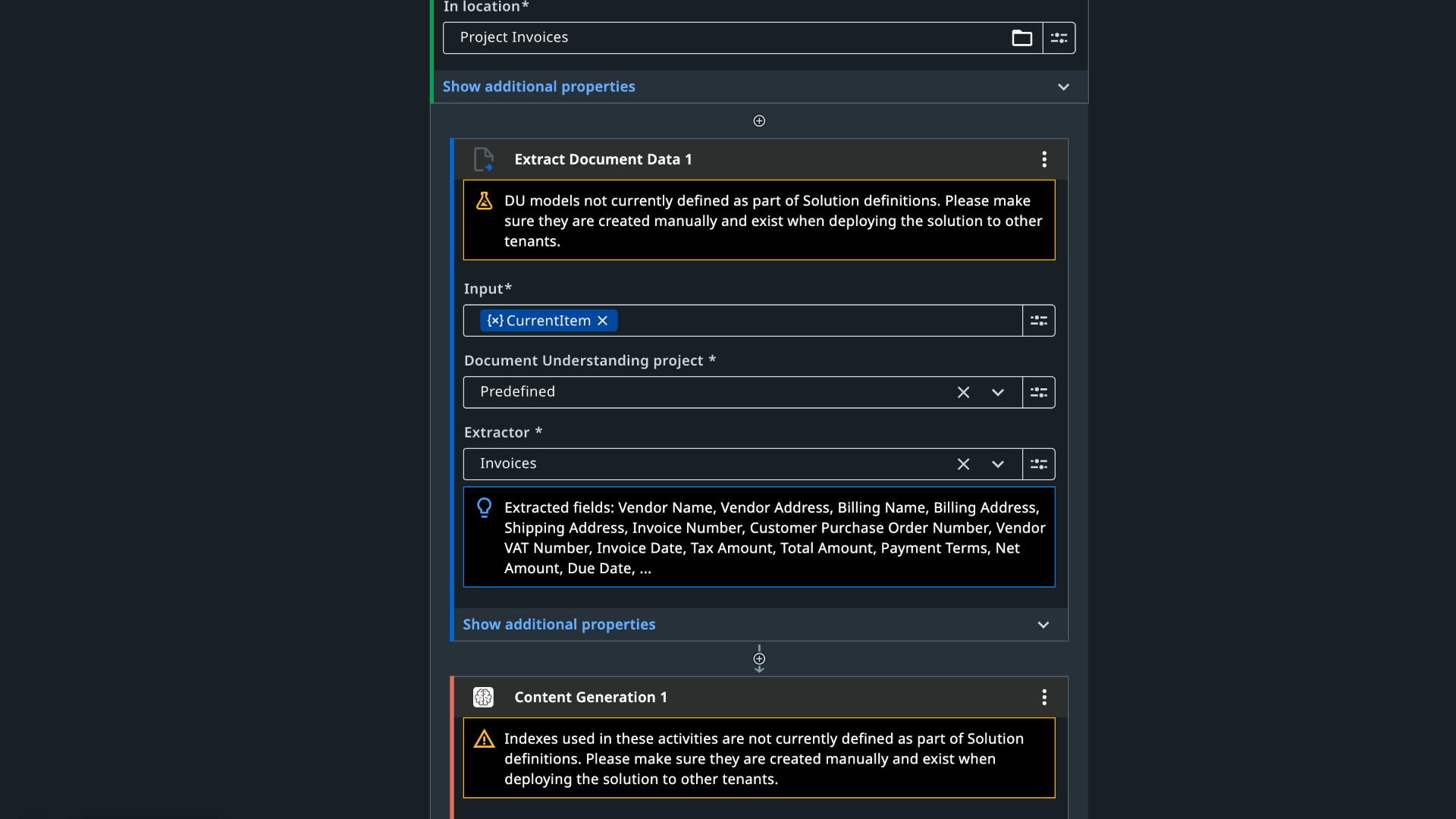
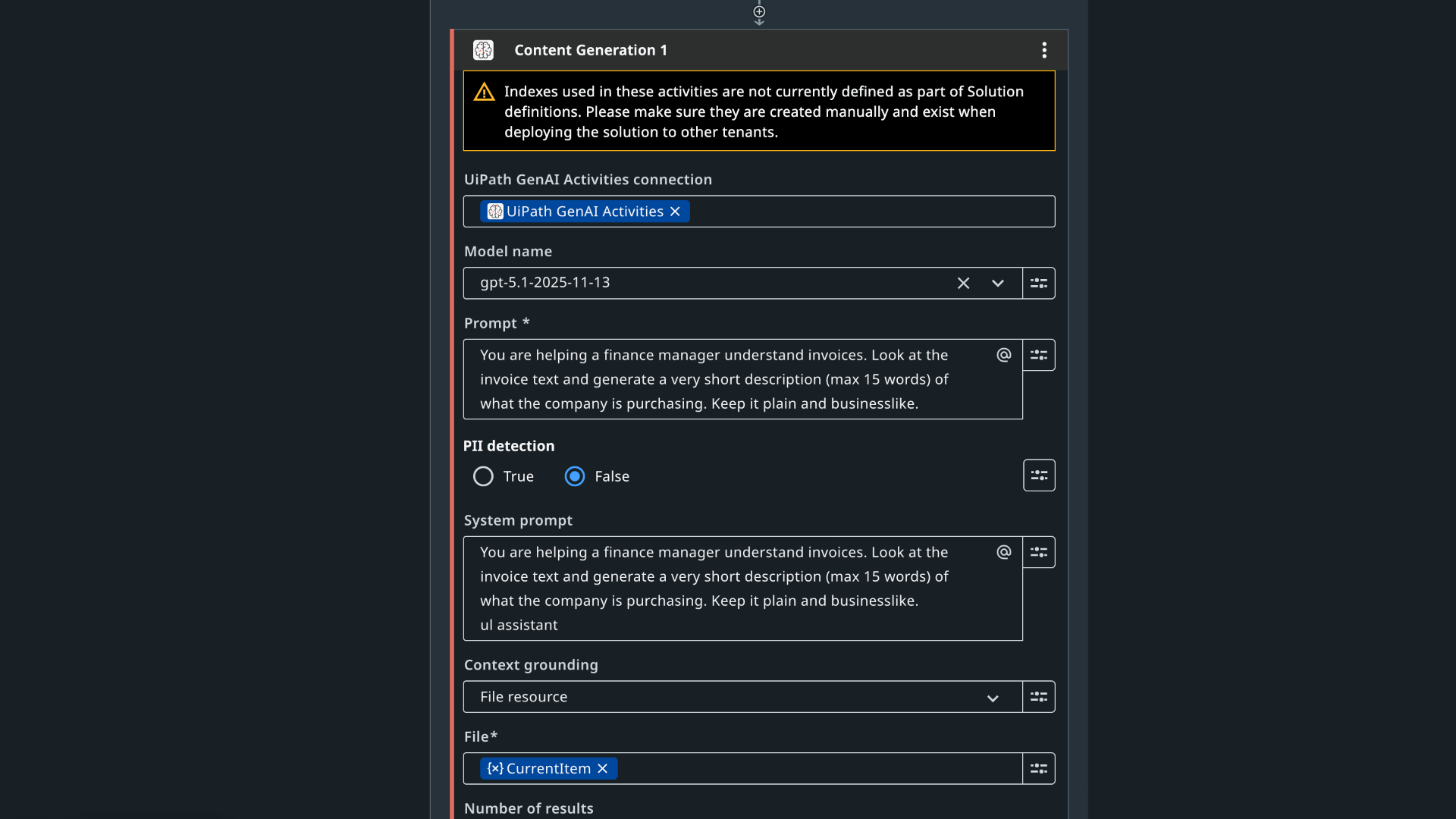
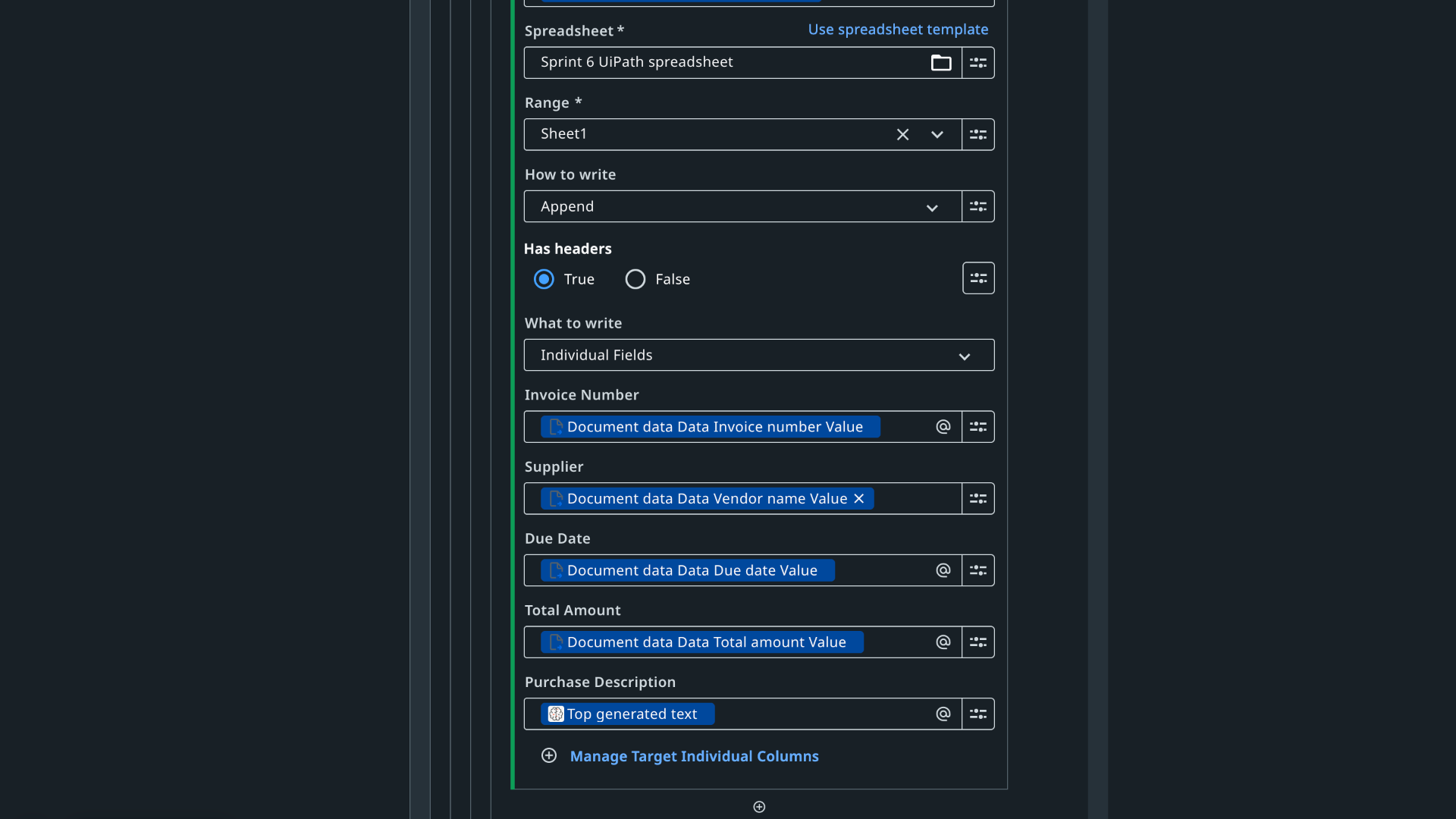
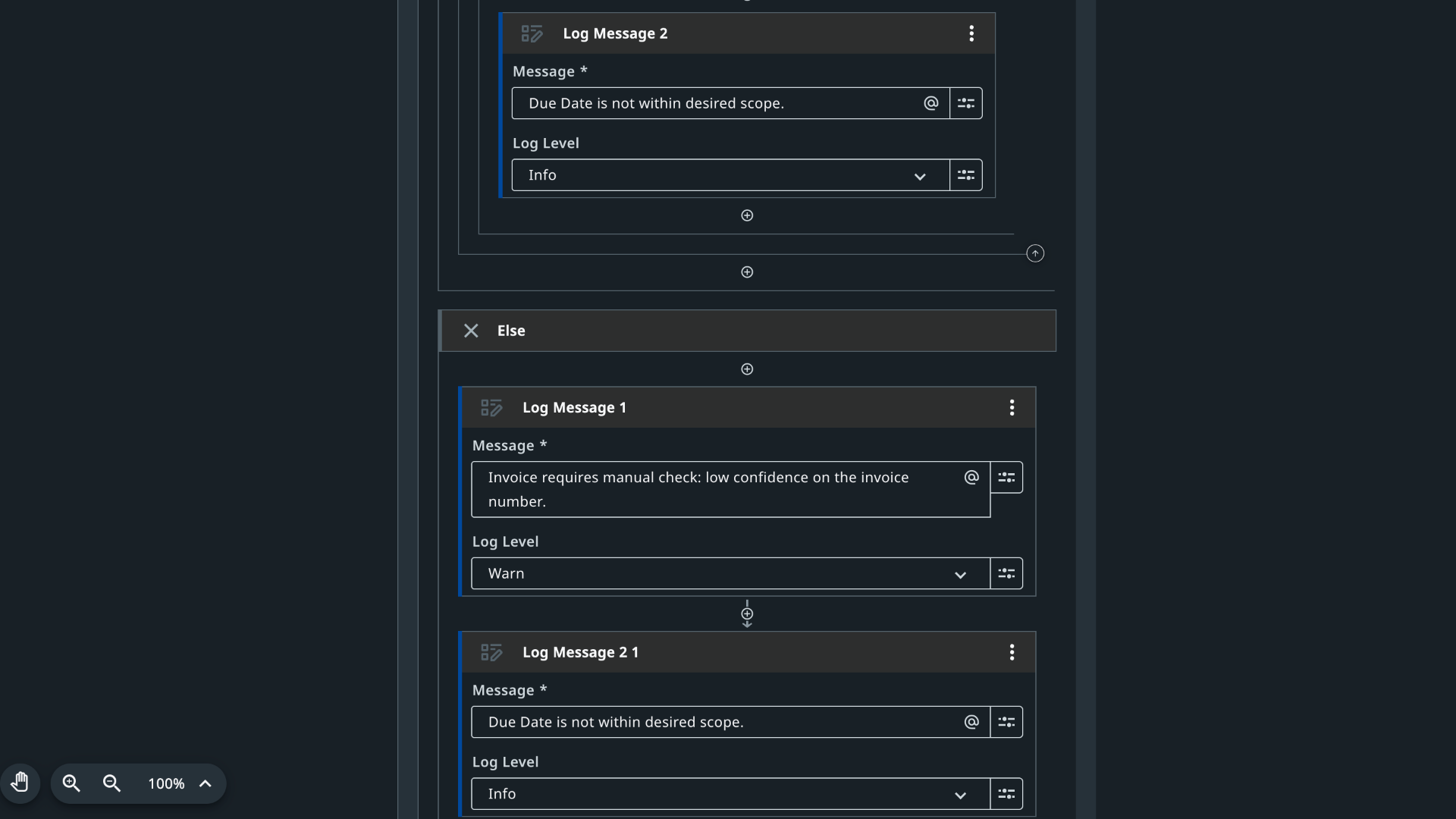
A UiPath workflow that processes a folder of invoice PDFs end-to-end: extraction, confidence gating, AI description generation, date filtering, and structured output — unattended. The pipeline: • For Each File in Folder — loops through all invoice PDFs in the designated Google Drive folder. • Document Understanding — Extract Document Data, configured with an invoice document type, extracts invoice number, supplier, due date, and total amount from each file. • Confidence check — confidence on the invoice number field is inspected. If ≥ 0.7, the row proceeds to AI description. If < 0.7, a Warn-level Log Message fires ("Invoice requires manual check: low confidence on invoice number") and the row is skipped for automatic processing. • UiPath GenAI Activities — Content Generation sends invoice text to GPT-5.1 with context grounding set to the current invoice file. Prompt: "You are helping a finance manager understand invoices. Look at the invoice text and generate a very short description (max 15 words) of what the company is purchasing. Keep it plain and businesslike." Example output: "Purchase of glitter confetti cannons and A4 paper for event and office use." • Date filter — only invoices with due dates on or before the cutoff (Sept 22, 2025 per the brief) pass through to output. • Google Sheets write — one row per qualifying invoice: invoice number, supplier, due date, total amount, AI-generated purchase description. • Severity-calibrated logging — confidence failures log at Warn (financial identifier, higher priority). Out-of-scope due dates log at Info (workflow functioning correctly, invoice simply out of scope). The Warn/Info split gives a reviewer a prioritized audit trail at a glance.
Workflow architecture
AI content generation configuration
Quality control — log message configuration
Benefits
- Eliminates manual data entry for structured invoices and scales linearly with volume
- Confidence gating routes uncertain extractions to human review instead of polluting the output
- GPT-5.1 with file-level context grounding produces descriptions specific enough to be useful without opening the PDF
- Two-tier log severity (Warn vs. Info) gives finance reviewers a prioritized audit trail
Honest limitations
training data, not production invoices — built and tested against sample PDFs from the TripleTen curriculum, not validated against a live AP system. Document Understanding accuracy varies by invoice format; structured templated invoices extract cleanly, while non-standard layouts, handwritten fields, or poor scan quality produce lower confidence and route more frequently to manual review. The 0.7 threshold was calibrated for the training dataset — production deployment would need recalibration against the actual invoice mix. No email delivery step yet — current build writes to Sheets only.
What's next
email delivery of processed output to the finance team with a summary of flagged items, dynamic confidence threshold calibration by document type and historical accuracy, and integration with a live AP system rather than a watched folder.
Output
