Weather-Based Staffing Automation
A Zapier workflow that pulls daily forecasts via OpenWeather, runs the data through two distinct Gemini prompts depending on conditions, and delivers a tailored summary to a manager's inbox each morning — triggered automatically, no manual input required.
The problem
Weather is one of the most reliable predictors of demand volatility for any outdoor-adjacent or foot-traffic-dependent business — a café, a retail store, a food truck, a delivery operation. But most small businesses make staffing decisions the night before based on a manager's weather app check, a mental model of how busy it usually gets, and a best guess. The information needed for a better decision is freely available via API. The pattern recognition needed to translate weather data into staffing guidance is exactly what an LLM does well. The gap was connecting the two into something that runs on its own.
The solution
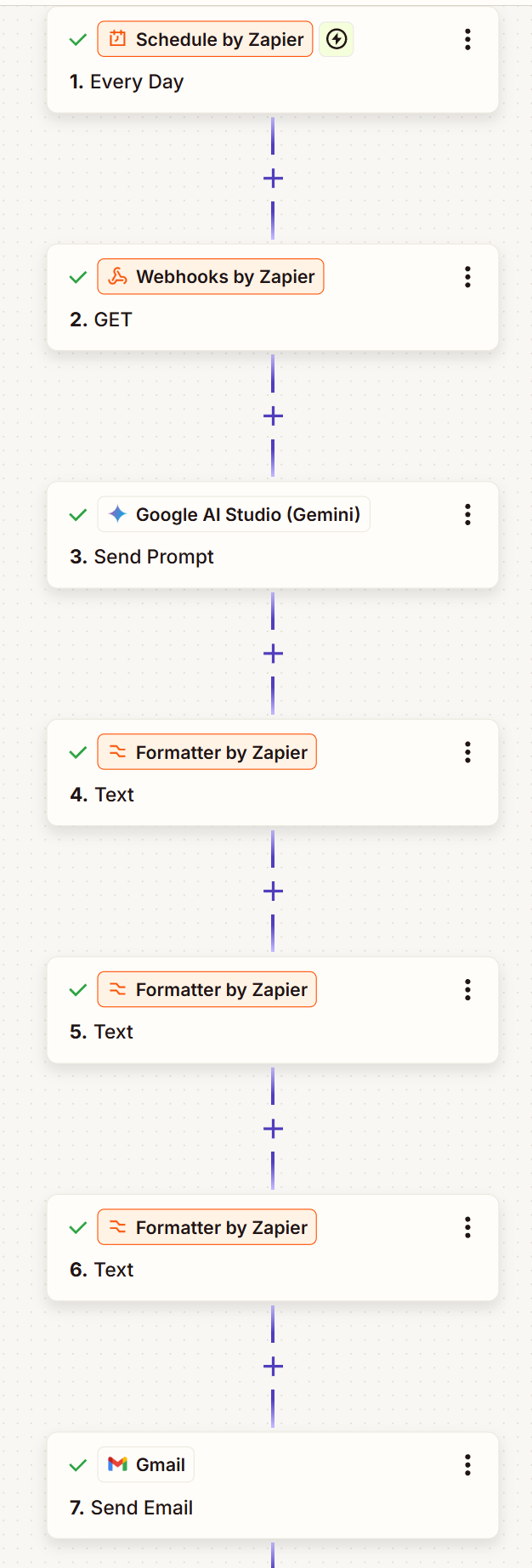
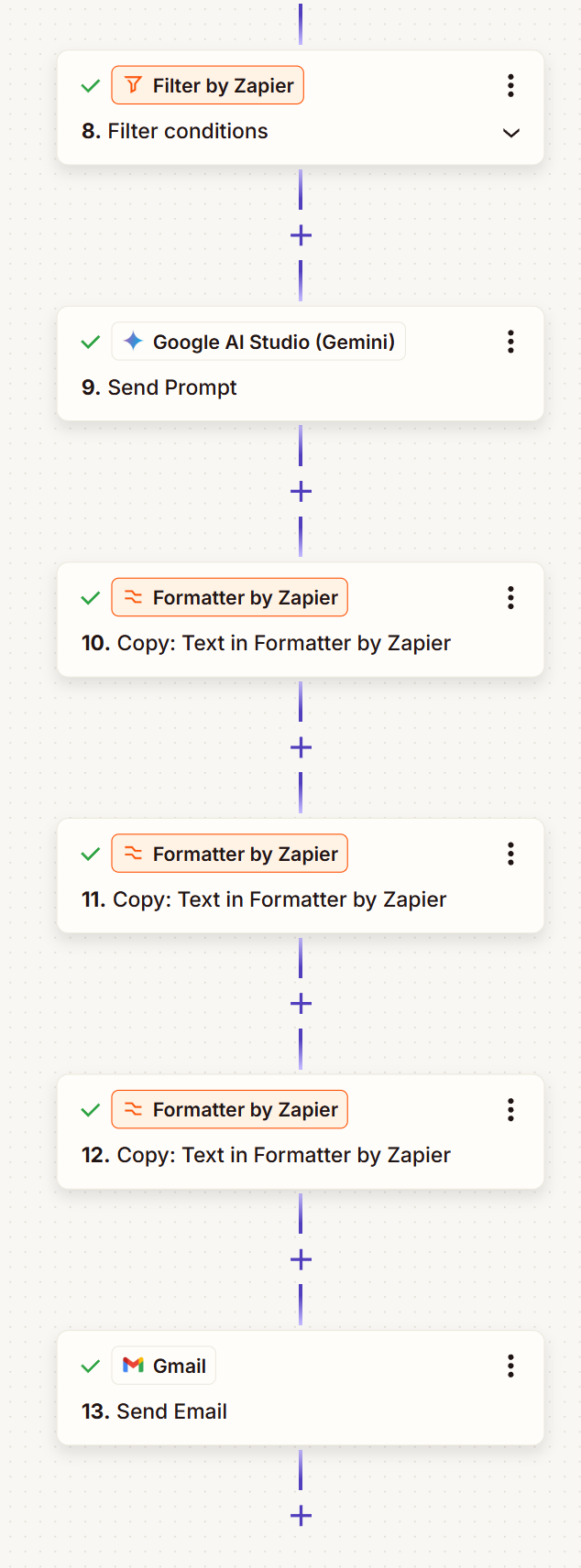
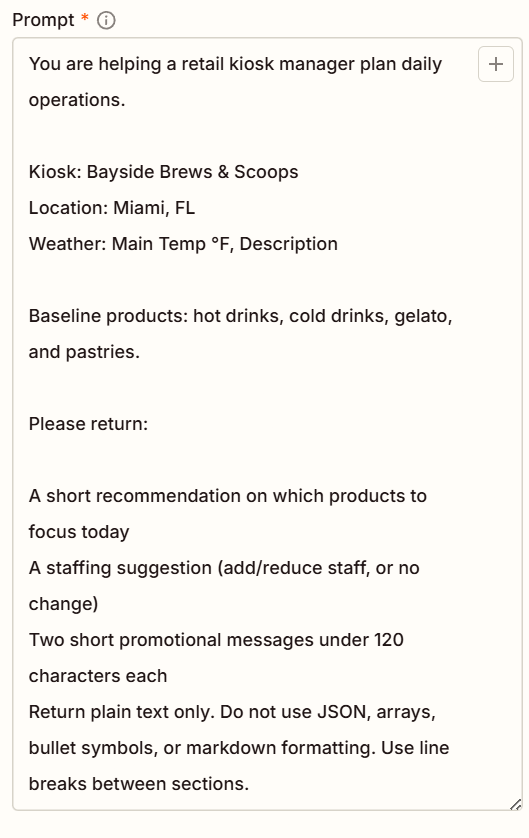
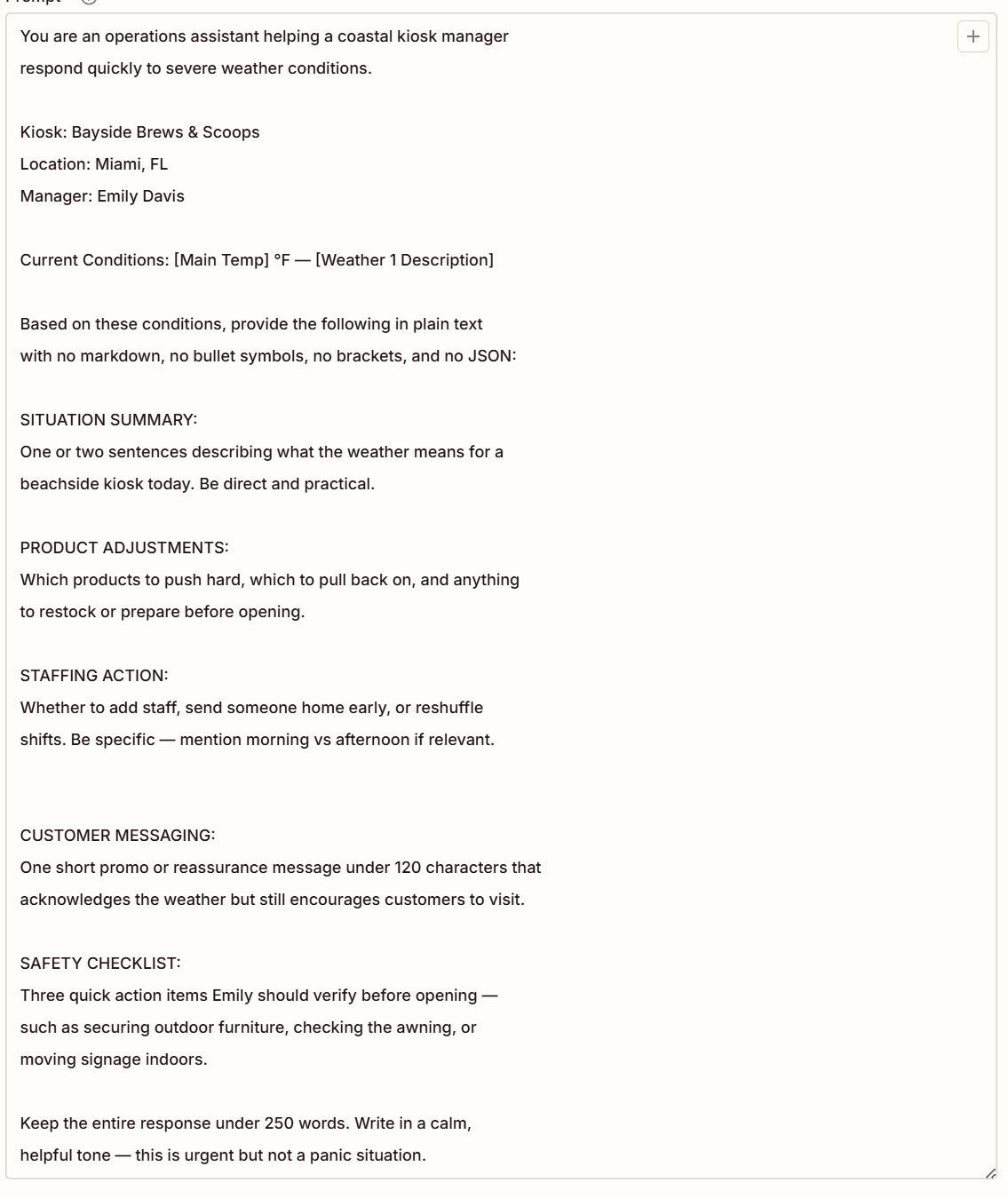
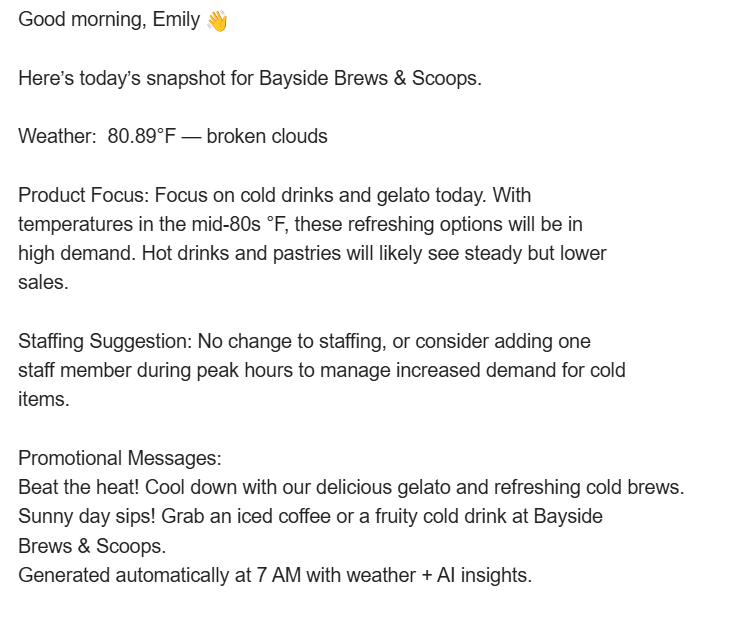
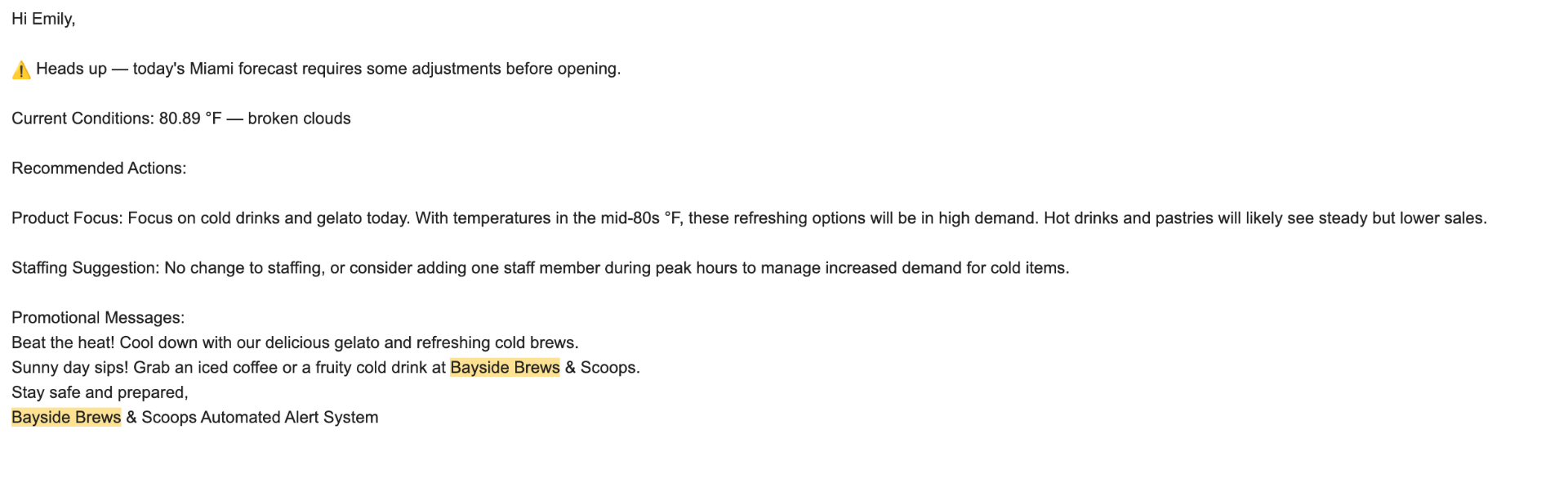
A Zapier workflow triggered each morning before the business day starts. The pipeline: • Schedule by Zapier — fires the workflow each morning before opening. • Webhooks by Zapier (GET) — pulls the current forecast from the OpenWeather API for the business location. • Google AI Studio (Gemini) — Send Prompt — standard daily analysis: forecast data passed with the standard operations prompt returning product focus, staffing suggestion, and two promotional messages under 120 characters each. • Formatter by Zapier — Text (× 3) — three formatting passes clean and structure the Gemini output for email composition. • Gmail — Send Email — standard morning summary delivered to the manager. • Filter by Zapier — checks the forecast for severe weather; only the steps below run if the filter condition is met. • Google AI Studio (Gemini) — Send Prompt — severe weather analysis: same forecast data passed to a separate, more detailed prompt returning five labeled sections including a Safety Checklist. • Formatter by Zapier — Text (× 3) — three formatting passes structure the severe weather output. • Gmail — Send Email — severe weather alert with a differentiated subject line and urgent recommendations foregrounded. Two distinct Gemini prompts serve the two branches — calibrated separately because the information a manager needs in a routine morning is different from what they need when conditions require action before opening. The standard prompt positions Gemini as a retail kiosk operations assistant for Bayside Brews & Scoops, Miami FL, and returns four items in plain text (no markdown or JSON): product focus, staffing suggestion (add / no change / reduce), and two sub-120-character promotional messages. The severe-weather prompt returns five labeled sections — Situation Summary, Product Adjustments, Staffing Action, Customer Messaging, Safety Checklist (three physical action items) — under 250 words in a calm, urgent-but-not-alarmist tone. The severe branch was validated via a forced test input since mild conditions at test time prevented a natural trigger.
Workflow architecture
The Gemini prompt design
The prompt positions Gemini as a staffing assistant for a small food and beverage business. It receives the structured weather data and asks for a staffing level (understaffed / standard / reinforced) with brief reasoning, a product mix note (e.g. "push hot drinks, reduce cold prep"), an outdoor-seating recommendation, and a one-sentence manager note summarizing the operational implication. The prompt specifies a maximum length and a plain-language register — the output goes straight into an email a manager reads at 7am, not a dashboard a data analyst reviews. A second prompt branch handles severe-weather conditions with an expanded structure that adds a physical safety checklist.
Prompt configuration
Benefits
- Manager reclaims morning planning time — the recommendation is in the inbox before the first decision needs to be made
- Filter-gated severity routing surfaces urgent conditions as a separate, more detailed alert rather than burying them in the standard summary
- Two prompts, calibrated separately, mean the routine morning email stays short and the severe-weather email earns its longer format
- Prompt constraints (length, register, no markdown) keep Gemini output operational and email-ready, not analytical
Honest limitations
hypothetical business context — built for a fictional café scenario as a training project, not deployed for a real business or validated against actual demand data. No feedback loop — the workflow has no mechanism to learn whether its recommendations were accurate. Single-location, single-business-type; the prompt is calibrated for an outdoor-adjacent food and beverage business and would need rewriting for retail, delivery, or events. Recommendation quality depends on prompt specificity — current prompt produces reasonable generic guidance, but production would need business-specific historical demand patterns baked into context.
Output examples
What's next
a feedback mechanism logging actual staffing vs. recommended and tracking accuracy over time, business-specific calibration with historical demand-by-weather-condition in the prompt context, and multi-location support with location-specific recommendation emails.